
If you run a WooCommerce store and manage your business operations on Odoo, you already know the pain of working in two disconnected systems. Orders pile up on your website, but your inventory, counting, and customer data live somewhere entirely. This is not a business problem; this is a system problem. And the solution to this problem is Odoo WooCommerce integration.
By connecting your WooCommerce storefront with Odoo’s powerful ERP backend, you create a single source of truth for your entire business.
Know more about how this integration works and how to get it done right.
What is Odoo WooCommerce Integration?
Odoo is an all-in-one business management software that covers inventory, accounting, sales, purchasing, manufacturing, CRM, and more. WooCommerce, on the other hand, is a popular ecommerce plugin built on WordPress, used by millions of online stores to sell products.
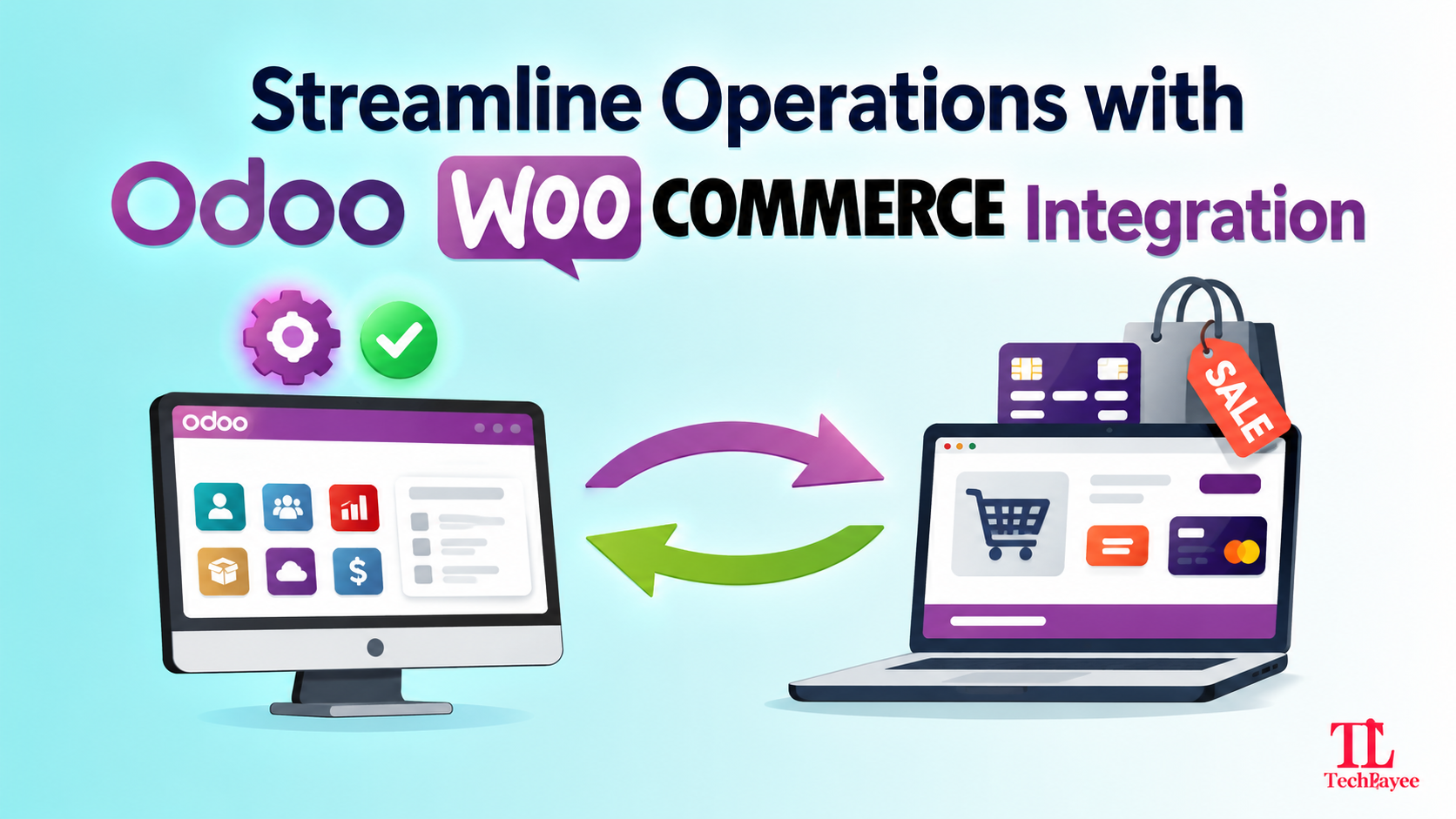
Independently, each tool does its job well. But they don’t naturally get connected with each other. Odoo WooCommerce integration is the process of connecting these two platforms so that data flows automatically between them, without any hassle.
Once integrated, actions taken in your WooCommerce store are reflected in Odoo, and changes made in Odoo are seen on the WooCommerce site, usually in real-time or via a scheduled sync.
Why Businesses Need This Integration
As your business grows, the cracks in disconnected systems start to show. This hampers productivity leading to data inaccuracies, and slower decision-making. Integrating the two platforms eliminates the friction between “making a sale” and “fulfilling an order.” Furthermore, integration also helps businesses by:
Eliminating Duplication of Data Entry
Without integration, teams spend hours in copying and pasting the same order details, customer addresses, or stock numbers from WordPress to their ERP.
Instant Order and Data Sync
The moment a customer buys something on WooCommerce, the order data is instantly pushed to Odoo. With this, your sales, customer details, and invoices are created automatically in your backend system without any manual data entry or delays.
Scheme Extensibility and Meta Mapping
WordCommerce and Odoo structure data differently. The integration relies on clean object-relational mapping (ORM) extensions, acting as a data translator. It takes custom fields from your website and automatically drops them into the exact right slots in Odoo.
Smart Customer Profile Organisation
When an order comes in, the integration automatically checks if the buyer already exists in Odoo. With every new order, it updates the customer ‘s existing profile to maintain an accurate repository.
Faster Website Performance
Heavy backend tasks can slow your website down. Integration helps to make your WooCommerce store more responsive and faster as Odoo handles the heavy lifting. It takes care of financial reporting, accounting, and shipping labels so you get faster checkouts, satisfied customers, and more sales.
Common Methods of Integration
The following are different approaches that can be adopted to connect Odoo and WooCommerce, each with its own trade-offs.
Odoo’s Native ecommerce Module
Odoo has its own built-in ecommerce module. Some businesses opt to rely entirely on Odoo’s ecommerce platform rather than integrating with WooCommerce. This eliminates integration altogether but isn’t very efficient, as businesses need to give up on WooCommerce’s flexibility and WordPress ecosystem.
Third-Party Connector Apps
There are pre-built connector plugins designed to sync WooCommerce and Odoo. These are usually a good starting point for smaller stores with straightforward needs, providing basic syncing of products, orders, and inventory out of the box.
Experienced Implementation Partners
Integration done via implementation partners like Techloyce is the simplest way to integrate these two platforms. Adopting such an approach minimises implementation time, prevents costly data loss, and ensures ecommerce operations.
Challenges to Watch Out For
Integration isn’t always plug-and-play. Here are some common challenges businesses face:
- Data mapping mismatches: Inaccurate data mapping from WooCommerce to Odoo’s structure, requiring careful configuration.
- Sync conflicts: If inventory or pricing can be edited from both systems, conflicting updates can cause confusion unless clear rules are set for which system owns which data.
- Performance with large catalogs: Businesses that store thousands of SKUs require an integration built to handle bulk syncing efficiently without slowing down the website.
- Multi-currency and multi-warehouse complexity: Businesses selling internationally or managing several warehouses need integrations that can manage these structures error-free.
- Ongoing maintenance: Both Odoo and WooCommerce receive regular updates and integrations that require constant upgradation so they don’t break when either platform changes.
This is why many businesses prefer relying on implementation partners instead of opting for generic plugins only.
Steps to a Successful Odoo WooCommerce Integration
Following a structured approach for integration saves you a lot of time.
Step 1: Define What Needs to Sync
Audit your current workflows to know the exact numbers of orders, inventory, and customer data. Following the audit, map out the data points you want to flow between the two systems.
Step 2: Select the Right Integration Method
Based on the complexity of your business, opt for the right implementation technique.
Step 3: Set Up Data Mapping Rules
Map fields between WooCommerce and Odoo carefully to avoid costly mistakes.
Step 4: Test Thoroughly
Before going live, you need to test thoroughly. Testing orders, refunds, stock updates, and edge cases in a staging environment helps to avoid any future complications.
Step 5: Go Live With Monitoring
Launch the integration with close monitoring in the first few weeks to catch and resolve any sync issues quickly. To stay optimised, review the performance periodically and update the integration as your business processes evolve.
Core Operational Features of a Successful Integration
A complete Odoo WooCommerce integration shouldn’t just pass basic text back and forth. It needs to sync deeply across multiple operational touchpoints. A fully optimised integration covers several critical data pipelines.
Bidirectional Product and Catalog Syncing
Managing two product catalogs isn’t feasible. Your integration should enable you to manage products in one centralised location (usually Odoo) and push them directly to WooCommerce or vice versa.
- Support for complex product matrices, including sizes, colours, materials, etc
- Automatic mapping of product categories
- Clean transfer of media, long/short descriptions, and SEO metadata
Automated Order and Checkout Management
The moment a customer clicks “Place Order” on your WooCommerce store, the data pipeline should spring into action.
- Automatic order creation in WooCommerce as confirmed sales orders in Odoo
- System checks if the customer’s history exists in Odoo via their email
- Coupons, promotion codes, and regional VAT/sales tax calculations are applied at checkout to match financial lines inside Odoo
Real-Time Stock and Warehouse Synchronisation
Inventory mismatches are one of the leading causes of negative customer reviews. Your integration must manage multi-channel inventory seamlessly.
- In case of stock changes in Odoo, the new stock level is pushed to WooCommerce
- Multi-warehouse support by routing to the correct warehouse on the basis of proximity or stock availability
Invoicing, Payments, and Accounting Automation
Manually reconciling ecommerce payments against bank statements takes hours. Automation minimises your month-end closing to minutes.
- Automatically trigger localised invoices in Odoo when an order is marked as paid in WooCommerce
- Map digital payment gateways to specific journals in Odoo
How Techloyce Can Help
In practice, the WooCommerce Odoo integration looks entirely different from theory. It needs a clear understanding of your business processes and integration architecture. This is where most teams fall short. As an experienced Odoo implementation partner, Techloyce helps businesses design and build integrations that can actually fit how they operate. It helps businesses by:
- Assessing the existing WooCommerce and Odoo setup and recognising the right integration approach that matches your needs
- Building custom, secure API integrations that sync products, orders, inventory, customers, and accounting data in real time
- Handling complicated systems such as multi-warehouse inventory, multi-currency sales, and high order volumes without performance issues
- Testing rigorously before going live to ensure smooth store operations
- Offer ongoing support and maintenance so your integration stays reliable
Ready to Scale Your Ecommerce Operations?
Stop letting disconnected systems hold back your growth. Whether you’re just starting to explore Odoo WooCommerce integration or already have a setup that isn’t as efficient as it should be, Techloyce can help you build a solution that saves time, reduces errors, and gives you a true real-time view of your business.