
Growing businesses reflect success, but they come with dual responsibilities. On the one hand, the customer base is expanding, and revenue is climbing. On the other hand, the systems are starting to buckle under the pressure.
For many scaling companies, Salesforce is the heart of the operation. It manages leads, tracks deals, and keeps the sales team organised. But as complexity grows, the gap between making a deal and managing a business widens.
Salesforce is a specialised customer relationship management (CRM) software, but when your sales data in CRM doesn’t get connected with your financial records, inventory, or billing cycle, growth starts to feel like a series of manual workarounds. Growing businesses need a unified back-office and front-office system.
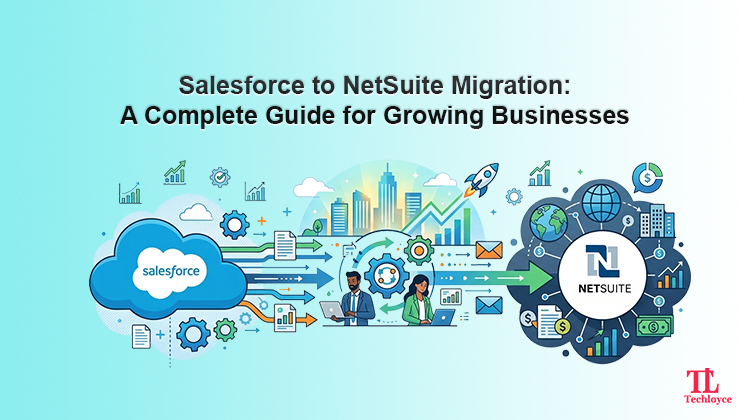
This prompts a Salesforce to NetSuite migration, which strategically shifts a business from a CRM-centric model to a unified enterprise resource planning (ERP) ecosystem. When done right, this shift minimises inefficiencies, enhances visibility, and prepares your business for long-term scalability.
Salesforce vs NetSuite: Core Difference
Before migration, you need to understand the fundamental DNA of the two platforms.
At its core, Salesforce is a CRM platform that enables businesses to manage sales, service, marketing, and commerce on one unified platform. It is structured to streamline the front office, i.e., sales, marketing, and customer service. It is outstanding in dealing with the pre-revenue and relationship stages of the business.
Key features of Salesforce are:
- Lead and opportunity management
- Sales automation
- Customer data management
- CRM reporting and dashboards
- App integrations
NetSuite, on the other hand, is a complete ERP. Although it has strong CRM capabilities, its real strength is in the back office. It helps to manage core business operations such as finance, accounting, global consolidation, inventory management, and human resources in one platform.
Key features of NetSuite are:
- Lead to cash management
- End-to-end business automation
- Unified business data
- Real-time business reporting
- Built-in ERP capabilities
Businesses decide to migrate not because Salesforce is a bad tool, but instead they leave because they need a single source of truth. They need a single platform that integrates both operational and financial control. Salesforce answers “who is purchasing” while NetSuite also tells how that purchase affects your cash flow, inventory, and long-term margins in real-time.
Why Businesses Migrate from Salesforce to NetSuite
Disjointed systems result in data silos. When data is handled independently in various departments, it creates friction which ultimately slows down your go-to-market speed. The following are primary red flags that trigger migration:
Disconnected Systems
A lot of companies utilising Salesforce depend on other tools like QuickBooks or other accounting systems. This results in a disintegrated ecosystem in which data needs to be manually replicated or needs constant integrations that are usually fragile.
Lack of Financial Visibility
Salesforce is incapable of offering real-time financial reporting. When teams rely on Salesforce, the finance department has to work in isolated systems. This makes it impossible to get a live reporting of revenue, cash flow, and an estimation of the profitability of the business.
Manual Workflows Between Teams
Your sales are processed in Salesforce, but invoices, billing, and revenue recognition have to be done manually. This causes delays, mistakes, and inefficiencies.
Scaling Challenges
When businesses expand, they tend to have a more complicated revenue model. Disconnected tools can be challenging to use with subscription billing, usage-based pricing, multi-currency transactions, and global operations.
High Integration and Maintenance Costs
Since Salesforce doesn’t have built-in ERP support, it relies on third-party integrations. It can be costly and time-consuming to keep multiple integrations between CRM, accounting, and other tools. These integrations lead to technical debt over the years, which slows innovation.
These obstacles not only affect the operations but also directly influence growth. This is the reason why most companies have decided to integrate their systems into a single ERP such as NetSuite.
When Does Migration Make Sense?
Not all businesses should migrate at once. However, some businesses show clear signs that they have outgrown Salesforce.
- You are controlling finance outside Salesforce and always aligning information.
- Your business model is growing more complicated (subscriptions, usage-based billing, multi-currency)
- You do not have real-time departmental reporting.
- Your teams are so dependent on manually bridging gaps in the systems.
- Your tech stack is growing more and more fragmented and hard to maintain.
If you encounter two or more similar situations, you need to consider migration. It’s often better to act promptly before it begins to adversely impact performance and decision-making.
Key Benefits of Moving to NetSuite
Shifting to NetSuite means you are getting a unified solution for everything instead of getting a single tool that offers one specific solution. Key benefits are:
A Single Platform
With CRM, ERP, and billing on the same platform, you can ditch relying on weak integrations. All departments maintain a consolidated record.
Live Dashboard
Executive management can view a real-time dashboard of the company’s health without having to wait for a manual monthly report.
Automated Quote-to-Cash
Once a deal has been signed, NetSuite can automatically create the invoice, acknowledge the revenue based on the GAAP standards, and update inventory or service schedules.
Global Readiness
In case you intend to go global, NetSuite has a “OneWorld” feature that supports the use of multiple currencies, tax regulations, and legal entities without any problem.
Salesforce to NetSuite Migration Process
Migration is not a sprint; it is a marathon. Data corruption and downtime can be avoided if you follow a structured approach.
Step 1: System Assessment
Start by auditing your current Salesforce setup. Flag custom objects, workflows, integrations, and data structures. This helps to assess what needs to be migrated, and processes can be optimised.
Step 2: Data Mapping and Clean up
Migration does not mean to copy and paste the exact data in the new system. Map primary data, including account information, contacts, deals, and historical records. Remove duplicates, obsolete records, and discrepancies prior to migration.
Step 3: Migration Planning
Recognise a clear roadmap. This includes scheduling, resource allocation, risk evaluation, and dependencies. A properly defined plan ensures successful execution.
Step 4: Data Migration
Transfer data securely from Salesforce to NetSuite. This step has to be validated constantly to ensure a correct and complete migration. Any mistake at this step can have an impact on the downstream processes.
Step 5: Customisation and Integration
Customize NetSuite to adapt to your specific business processes. This can involve the installation of financial modules, billing procedures, and integration with other tools.
Step 6: Testing and Go-Live
All systems should be well tested before going live, and check and confirm accuracy in data, workflows, and reporting. When all this has been verified, move your teams to the new system.
Best Practices for a Smooth Migration
The following are some best practices to ensure that your migration is as smooth as possible.
Pre-clean Your Data Prior to Migration
Movement of poor data causes even more problems in the future. Take time to clean up data in advance.
Define Business Objectives
Know the reasons why you are migrating. Whether you intend to improve reporting, bring automation, or ensure scalability, there should be clear objectives to guide the whole process.
Avoid a “Lift-and-Shift” Mindset
Migration is a chance to enhance processes, not just copy them. Streamline workflows for the new system.
Train Your Teams Early
Introduce NetSuite to your teams before going live. Training lessens resistance and accelerates the adoption.
Work With Experienced Migration Partners
Professional guidance from migration partners such as Techloyce can help in terms of accelerating the migration and achieving the exact goals.
How Techloyce Helps
The process of migrating Salesforce to NetSuite is complicated, but with the right partner, it can be a much easier process. Techloyce has experience in both platforms, enabling a seamless transition being an experienced Netsuite customization & Salesforce CRM expert.
End-to-End Migration Expertise
Techloyce offers complete support to take you through the migration process. It assesses your current configuration, discovers missing links, and develops a specific migration plan that supports your business objectives. This guarantees a controlled, no-danger change instead of a rushed technical modification.
Deep Platform Knowledge
Having a solid knowledge of Salesforce and NetSuite, Techloyce knows how to overcome the obstacle between CRM-oriented workflows and a thoroughly integrated ERP system. This in-depth knowledge assists in preventing pitfalls such as mismatched data, failed processes, or ineffective settings.
Data Migration and Customisation
Techloyce guarantees precision in migration by cleaning, mapping, and validating your data prior to and after the switch. It also helps to tailor NetSuite to your processes, whether it’s billing, reporting, or operational processes. This ensures that the system is configured to work in the same manner as your business operates.
Post-Migration Support and Optimisation
Migration doesn’t end after going live. Techloyce offers continuous support to train, optimise the performance, and improve the system of your team. This assists you in maximising the benefits of NetSuite and ensures long-term success since your business continues to grow.
Scale Smarter, Not Harder
Migration is more than a technical shift; it is a way to scale systems as your business grows. Moving from Salesforce to NetSuite signals that you are ready to stop managing “leads” and start managing an “enterprise.”
With consolidated data, you get the clarity to make informed decisions. You can empower your sales team with financial context and your finance team with sales agility.
Ready to take the next step in your growth journey? Don’t leave your data to chance. Get connected with Techloyce to see how a single ERP can redefine your business processes.