
Salesforce is a leading CRM platform, but it acts as a blank canvas when it comes to communications and relationship building. It possesses the architectural infrastructure to track data, but it doesn’t intuitively know how your specific business communicates. Without additional setup, it acts more like a repository for historical facts, leading to meaningless interactions rather than authentic relationship building.
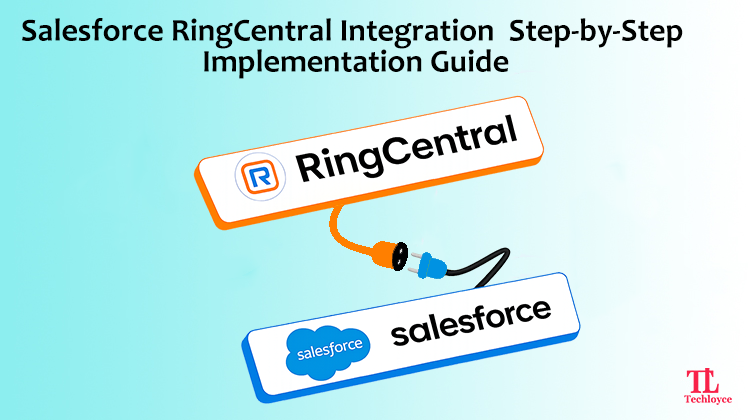
If you are also facing similar problems with Salesforce and want to take your communication and customer relationship management to the next level, then Salesforce RingCentral integration is the right solution. With its communication and collaboration solutions, RingCentral ensures personalised interactions which help businesses to retain customers for a longer time.
However, to unify your cloud-hosted communications with your central CRM, you need to implement the right strategy. Let’s have a step-by-step technical installation walkthrough to understand its core benefits and the full ecosystem cost of the Salesforce RingCentral integration.
Why Integrate Salesforce with RingCentral?
It is overwhelming for sales and support teams to spend hours every week switching between their CRM and phone system. Representatives manually log calls, forget follow-up notes, and lose customer context mid-conversation. This friction is eliminated when RingCentral gets connected with the Salesforce infrastructure. This is done via:
Click-to-dial
You can easily dial numbers directly from web browsers, emails, and or Salesforce records without manual entry. RingCentral manages voice calling, SMS, video, and fax across desktop and mobile devices.
Auto call logging
RingCentral treats every inbound and outbound call as an activity archived with duration, recording, and notes. Moreover, it routes incoming calls with an automated system to get callers to the right person.
Screen pop
It gives real-time notifications. Caller records open automatically in Salesforce the moment a call connects, displaying the caller’s CRM profile, ticket history, or account details.
Reporting
RingCentral has native analytics and reporting tools that track communication performance, system adoption, and customer service metrics in real time.
Prerequisites and Requirements for RingCentral and Salesforce Integration
Before integration, you need to prepare your system to align with both systems. This is necessary to have a smooth implementation and seamless functionality. Skipping any of the following checks causes hurdles and can hinder the integration process mid-cycle.
- Salesforce org on professional, enterprise, unlimited, or developer edition (classic and lightning supported)
- RingCentral account with MVP (Message, Video, Phone) plan or higher
- Salesforce System Administrator profile to install AppExchange packages
- RingCentral Super Admin or Admin role to authorise the OAuth connection
- Salesforce CTI (Computer Telephony Integration) license enables in your org
- Open Network Traffic rules enabling RingCentral’s API endpoints
How to Set Up RingCentral Salesforce Integration
With the right strategy, businesses can easily integrate RingCentral with Salesforce without facing any additional barriers. By following these steps, you can easily connect both platforms and start leveraging advanced calling, messaging, and collaboration features.
Step 1: Install RingCentral from Salesforce AppExchange
The integration process starts with navigating RingCentral on Salesforce’s App Exchange. To do so, find RingCentral for the Salesforce application and choose an official package. Choose your preferred environment, either Production or Sandbox. Once you have chosen, enable the necessary permissions for users who access the integration.
Step 2: Configure the RingCentral Implementation
Once it is installed, you need to launch the RingCentral Setup Wizard from Salesforce. Administrators can leverage this to set up the initial configuration process seamlessly. This involves configuration of call logs, select preferences, and other integration options. When configuration is done, you can access RingCentral within your existing Salesforce stack.
Step 3: Create and Set Up the Call Center
After configuration comes the establishment of the Salesforce Call Center for RingCentral. This call center embeds your RingCentral phone system directly into your Salesforce CRM. You can automatically configure the call center via the setup wizard. During this step, you can configure call routing rules, voice capabilities, softphone capabilities, and access to users.
Step 4: Assign Users and Add the RingCentral Softphone
The next step is to assign the users to the integration. Here, define the access levels of the team. At this phase, secure communication is ensured via managing licenses, permissions, and user roles. This enables RingCentral Softphone to be added to the Salesforce Lightning Apps via the Utility Bar. Teams can dial and receive calls directly within the Salesforce environment.
Step 5: Test and Validate the Integration
Conduct extensive testing prior to rolling out the integration across the organisation. Test call in/out, call log auto-enables, outbound and inbound SMS and messaging, and correct time set-up. It’s possible to identify issues and guarantee that the user experience is smooth and pleasurable from the start through a successful testing phase.
Common Pitfalls and Tips to Avoid Them
While RingCentral Salesforce integration may be relatively simple, organisations still face common problems. Here are some best practices to avoid these problems and make implementation and operation smoother and more effective.
Encourage Reps to Capture Notes During Calls
Waiting till the call ends to make notes leads to incomplete or inaccurate customer information. Make sure sales and support personnel take notes throughout the call rather than at the end. Live note taking ensures that the important information, customer concerns, follow-up actions, etc., are not lost. This leads to more accurate records and enhanced teamwork.
Establish a Duplicate Phone Number Strategy
Multiple entries can create confusion for agents and create discrepancies in the record. Therefore, before deploying, establish a clear policy for how to handle duplicate data. Precise CRM data helps to maintain clear records and improve user experience with an accurate history.
Review User Permissions Regularly
The excessive use of administrative rights poses a risk of unexpected system configurations, threats, and non-compliance. It is important to verify that user permissions do not allow staff members to view any unconnected information. Access should only be provided to those authorized by the company while restricting it from inactive accounts or those with new positions.
Monitor Integration Performance and Error Logs
When alerts and error logs in the system are ignored, there are lost calls, incomplete reports, and reduced trust in CRM data. Regularly review synchronisation logs, system diagnostics for synchronisation issues, affected call records, and validation errors. By detecting problems early, administrators can assist in resolving problems before they impact users’ productivity and customers’ communications.
Test Changes in a Sandbox Environment First
Any changes in production that are not tested lead to workflow failures, data problems, and interruption of business operations. Therefore, make any configuration changes, workflows, automation rules, and customisations in Salesforce Sandbox before deploying to production. Testing in a controlled environment minimises disruptions to the system and ensures new changes are successfully implemented.
Benefits of RingCentral Salesforce Integration
After successful integration, businesses get substantial benefits, including:
Enhanced Sales Productivity
A lot of time for sales representatives is spent on managing communication activities. With Salesforce RingCentral integration, they can:
- Contact leads faster
- Quick and easy access to customer data
- Log activities automatically
- Reduce administrative work
This leaves sales reps more time to sell and less time to manage the system.
Improved Customer Experience
A business should be aware of what the client needs. The interaction helps agents to access the full context of customer interactions and can:
- Personalise conversations
- Resolve issues faster
- Offer support throughout the customer journey
- Build stronger relationships
This helps to directly increase customer satisfaction and customer loyalty.
Better Data Accuracy
Manual data entry has the potential for errors and missing information. With a maintained record, businesses gain from:
- Accurate customer records
- Reliable reporting
- Better forecasting
- Improved compliance
Increased Team Collaboration
When data from communication is saved in Salesforce, everyone has access to a consolidated customer record. This enables:
- Improved sales
- Better coordination between sales and support teams
- Improved knowledge sharing
- Faster issue resolution
- Greater organisational alignment
Streamlined Workflow Management
The integration eliminates the organisation’s dependence on fragmented apps to maintain data. Teams can do:
- Make calls
- Send messages
- Schedule meetings
- Update records
Such a streamlined procedure can significantly contribute to the productivity between departments.
Struggling with Integration? Get Expert Help
Salesforce RingCentral integration is not as easy as it seems. If you feel stuck, seek help from our experts. As an official RingCentral partner and Salesforce consulting provider, Techloyce helps businesses to integrate both software’s tailored to their communication and CRM needs.
From installation and configuration to user setup and workflow optimisation, Techloyce manages the entire integration process for you. Beyond implementation, it offers training, consulting, and ongoing support to help teams maximise productivity and customer engagement. With proven expertise in both platforms, Techloyce enables organisations to unlock the full potential of their Salesforce RingCentral integration.
Build a Connected Customer Experience Today
Whether your goal is to accelerate your inside sales team’s outbound pipeline or help your customer service agents resolve tickets faster, uniting these two platforms gives your team the exact tools they need to scale operations and deliver highly personalised experiences at scale. With Techloyce, you can implement, customise, and optimise your Salesforce RingCentral integration for maximum business impact.
Contact Techloyce today to build a smarter, more connected communication ecosystem.