
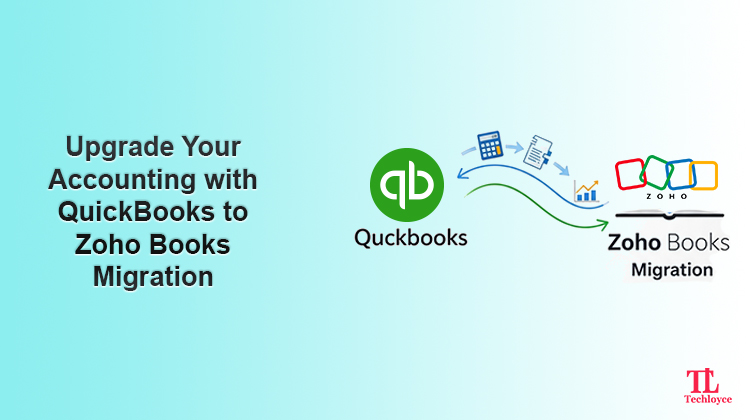
The future of bookkeeping is advancing towards highly sophisticated accounting software. The industry demand drives the change, as these software solutions ensure smooth business operations. As cloud-based accounting platforms rapidly evolve, small and medium-sized businesses are beginning to question whether the systems they started with can still support their next steps. This reflection draws one clear conclusion: it’s time for a QuickBooks to Zoho Books migration. The switch empowers you with more future-ready solutions that are flexible, connected, and scalable. From finance teams seeking cleaner workflows to founders looking for smarter insights, the shift from QuickBooks to ZohoBooks is a strategic upgrade rather than a simple software switch.
Why Businesses Are Moving from QuickBooks to Zoho Books
QuickBooks has always been a trusted accounting solution. However, it provides a basic accounting platform that doesn’t meet the requirements of businesses looking for more unified business ecosystems. Such a solution is offered by Zoho Books, which stands out as a potential alternative. Most of the time, businesses are already utilising Zoho tools, including CRM, Inventory and Analytics. In such a scenario, migrating to Zoho Books is the most suitable option.
Cost Effectiveness
Whether you are a newly developed business or an established firm, Zoho Books has a solution for all. Catering to the budget of all enterprises, it offers multiple pricing tiers. With flexible pricing, it becomes highly affordable for all teams. Without any additional costs, teams can access advanced accounting tools that can help them grow.
Efficient Zoho Ecosystem
Zoho Books integrates with other Zoho platforms like Zoho CRM, payroll, inventory, analytics, and other Zoho One applications. Such an integration connects all applications in a unified ecosystem to streamline data flow.
User-Friendly Interface
Zoho Books are developed to keep user convenience in mind. Its clean dashboard and intuitive navigation are easy to use, even for teams with a basic level understanding. A simplified control panel increases teams’ productivity and reduces manual effort.
Advanced automation
Zoho Books supports powerful automation through workflow rules, custom functions, and reporting tags. With these features, teams get rid of repetitive tasks, and there’s improved accuracy with lower risks of mistakes in financial reporting.
Migration vs Integration: What’s Right for You?
Teams often confuse migration with integration. Before learning how to migrate data from QuickBooks to Zoho Books, it is necessary to map out the key differences between the two processes. What is best for you is dictated by your business objectives, needs, reports, and strategies. Regardless of your choice, Techloyce guarantees a smooth transition that enables your team to thrive and achieve your long-term aspirations.
In simple terms, QuickBooks and Zoho Books integration means syncing the two software so they can share data automatically. On the other hand, data migration is switching to a different software completely. If you want to manage a single database without relying on QuickBooks, a full migration to Zoho Books will be helpful. To migrate, businesses transfer accounting data to transition their financial operations to Zoho Books.
How to Migrate Data from QuickBooks to Zoho Books
Here’s a structured, practical breakdown for successfully executing the QuickBooks to Zoho Books migration.
Step 1: Finalise the Migration Date
Consult with your team and unanimously decide on an exact date to start migrating your accounting system.
Step 2: Set Up Your Organisation in Zoho Books
- Enter your company details
- Configure base currency and fiscal year
- Enable required modules
Step 3: Configure Taxes and Compliance
- Set up GST/ VAT/ Sales Tax
- Configure tax rates and rules
- Map tax accounts correctly
Step 4: Define Workflow Structure and User Access
- Assign user roles and permissions
- Set approval workflows
- Create departments, branches or locations if required
Step 5: Customise Forms and Reporting Tags
- Customise invoices, bills, and other data
- Set up reporting tags for better financial insights
Step 6: Data Export from QuickBooks and Import into Zoho Books
Once setup is done, start transferring data. Start the migration by exporting the Chart of Accounts from QuickBooks and importing it into Zoho Books, ensuring account types, groupings, and numbering are validated correctly.
Common Migration Challenges
Incorrect Opening Balances
One of the most commonly faced challenges is incorrect opening balances. It occurs when the trial balance is not completely reconciled before importing data into Zoho Books. Techloyce validate your trial balance by double-checking that all debits and credits match perfectly. This prevents future discrepancies, giving a solid foundation to your books.
Tax Mismatches
When QuickBooks and Zoho Books are not configured properly, it leads to tax mismatches. With mismatched data, there are calculation errors in invoices, bills, and financial reports. Having expertise in Zoho, Techloyce prevents all such inconsistencies.
Over-Migration of Historical Data
Many businesses try to migrate all previous records. It significantly reduces migration speed without providing any major practical benefit. To avoid this, experts usually recommend a “fresh start.” Focus on importing essential data first without forcing bulk migration.
Data Mapping Errors
During migration, mismatches occur if the data is not correctly mapped. It may cause significant financial miscalculations due to incorrect financial transactions, accounting, or reporting. Techloyce offers meticulous data mapping for each module, ensuring your migrated data is accurate and ready for day-to-day operations.
Important Tips for Migrating from QuickBooks to Zoho Books
The migration of Zoho Books from QuickBooks is definitely going to be smooth if the right strategy is employed.
Plan Your Migration Date Carefully
One of the most important tips to be considered during this process is to carefully plan your migration date to migrate data into Zoho Books at the end of every reporting period, i.e., monthly or annually, to obtain proper opening balances for accurate reporting purposes.
Decide Which Data to Migrate
The next major tip to be considered is to determine whether historical data is actually necessary. It is not necessary to migrate all historical data for the given transaction. For most organisations, the “fresh start” approach would be most effective, where you migrate the customers, vendors, and items, and then use the “trial balance” for transferring the opening balances.
Review Your Data Before Migration
It is also important that you clean your data before migration. This includes the elimination of duplicate customers or vendors’ data, as well as the correct settings on tax options. Ensure that your accounts are categorised well in QuickBooks. A clean data situation will help you with precise reporting as well as efficient functioning in Zoho Books.
Always Test Before
Validate and test all the above steps and processes to move the QuickBooks database to Zoho Books. Check reports, ledgers, and test transactions to understand the workflow. Overall, with adequate planning and preparation, the database migrated from QuickBooks to Zoho Books can always remain efficient and effective.
Why Techloyce is Necessary for QuickBooks to Zoho Books migration?
Although Zoho Books offers migration options, choosing a partner like Techloyce ensures a correct migration and a worry-free experience. Migration is not merely the transfer of data. Rather, it takes extensive planning and validation to execute it properly.
Techloyce has in-depth experience in working with QuickBooks and Zoho Books, which helps avoid costly errors that may interfere with accounting processes. Beyond migration, Techloyce offers post-migration support and system optimisation, helping your team get up to speed quickly and ensuring Zoho Books operates efficiently from day one.
If you are a business looking to save time, minimise errors, and have the best experience during the transition, the most reliable option is to partner with Techloyce for the QuickBooks to Zoho migration.
Revolutionise Your Accounting with Smooth Zoho Books Migration
A successfully executed QuickBooks to Zoho Books migration can redefine the financial operations of your business. Through better automation, smooth integrations, and scalable reporting, Zoho Books empowers your business operations to work more confidently. A carefully planned migration makes it a strategic advantage for the business rather than a mere data migration.