
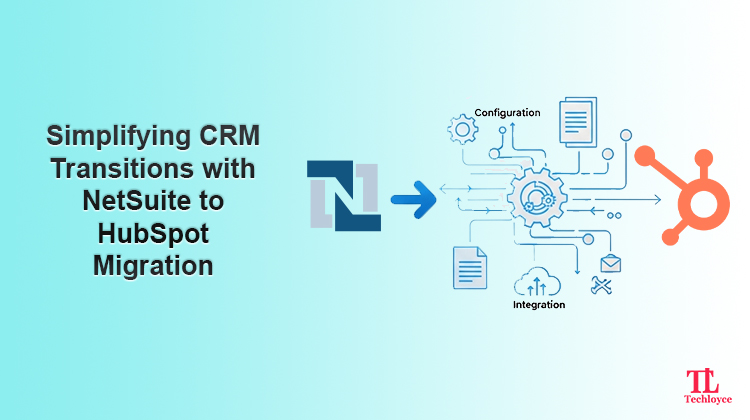
Migrating your CRM shouldn’t feel like a technical nightmare. If your business requirement is not met by NetSuite, it is time to opt for a better solution. HubSpot offers a simpler and smarter way forward for your business.
Whether you’re exploring options or looking for a reliable NetSuite to HubSpot Migration Service, Techloyce helps you do so with confidence. We provide a structured, end-to-end migration approach that offers accuracy, security, and business continuity at every step.
Why Businesses are moving from NetSuite to HubSpot
NetSuite is an excellent enterprise resource planning (ERP) tool, but many organisations report that its usability is highly limited when it comes to CRM, marketing automation, and sales alignment. This service gap is filled by HubSpot with its intuitive interface and an ecosystem built for growth.
Key benefits of transitioning from NetSuite to HubSpot are:
User-Friendly CRM
HubSpot’s easy-to-use interface makes sales, marketing and service teams easily accessible. There’s minimal training required, where users can manage contacts, deals, and activities without confusion. This ease of use leads to higher adoption and better data consistency across teams.
Powerful Marketing Automation
HubSpot CRM allows businesses to automate their email campaigns, lead scoring, and follow-up communications with precision. The marketing department can set up lead nurturing campaigns with personalised communication messages for real-time monitoring. All these features enable a business to establish a strong relationship with a high conversion rate.
Customisable Sales Pipelines and Reporting
HubSpot has more customisation options to conform to your sales workflow. There is also greater visibility into deal stages, forecasts, and performance with customizable dashboards & reports for teams. With this sales leader can easily make data-driven decisions faster.
Scalable Pricing
Switching to HubSpot gives you flexible pricing plans that scale as your business expands. You can begin with what you are using today and add features for your growing business. In this way, you are not overspending on features you do not need.
Native Integrations with Popular Tools
HubSpot easily integrates with communication tools such as Slack or Google Workspace, along with many other platforms. All such integrations make it possible to automatically synchronise data and save time. Collaboration becomes easy without having to toggle around on various platforms.
No Unnecessary Complexity
Through the NetSuite to HubSpot migration service, companies are able to integrate sales, marketing, and customer service under one umbrella. The above-mentioned approach eliminates operational silos and complexities commonly associated with NetSuite.
How to Successfully Execute NetSuite to HubSpot Migration?
For a successful migration, it is necessary to do your homework beforehand. There is nothing but risk and potential loss of data with improper planning. To achieve this:
Audit Your Existing NetSuite System
The process begins with the categorisation of the data that is already being used within NetSuite. Take an evaluation of the contacts, companies, deals, and any type of data that is already being used. Look at the active workflows, sales funnel, and the triggers that have already been marked. This analysis can be done with a view to the existing integrations with Techloyce to ensure that the process is more focused. Once this is done, you have sorted data about what needs to be migrated, optimised, or retired.
Set Objectives
Define measurable objectives such as improving lead response time, increasing CRM adoption, and simplifying reporting and analytics. Get all your stakeholders on the same page so everybody has an understanding of the purpose and expected outcomes of the migration.
Map Fields
NetSuite and HubSpot have different interfaces. Both use different data structures, which makes field mapping a significant step. Every field in NetSuite has to be matched correctly with a corresponding HubSpot property. Custom objects or fields could potentially require recreation in the HubSpot environment. Incorrect field mappings can lead to data deletions, data misrepresentation, or data inaccuracies when viewing reports.
Select Right Migration Tools
The migration process can be overwhelming. So, it is essential to select the right tools that simplify the migration process. Having expertise in providing customised ERP and CRM, Techloyce automates large portions of the migration. With Techloyce, you can minimise downtime without any data loss.
Rebuild and Optimise Workflows
Rather, it should focus on optimising the processes. The tool allows for the automation of assigning leads, DELA updates, follow-ups, and notifications. Streamlining the workflow increases efficiency and reduces manual effort for sales and marketing personnel.
Configure Integrations and Test Thoroughly
For successful migration, testing is important. Test data synchronisation, workflow triggers, and reporting accuracy before going live. It helps you to nip the evil in the bud. Identify issues early and avoid disruptions after launch.
Rebuilding Workflows, Funnels, and Automations in HubSpot
Migration doesn’t only mean to move data; rather, it involves upscaling your business operations.
Sales Pipelines
In the process of migration to HubSpot, sales pipelines can be rebuilt or improved to more accurately represent your sales process. This involves establishing well-defined stages of the business lifecycle that give insight into the current stage of individual deals, enabling the automatic movement of deal stages so that sales teams are not required to do the action manually, and enabling task reminders so that sales teams do not forget any follow-up tasks.
Workflows and Automation
HubSpot’s automation features enable businesses to optimise the automation of day-to-day operations that took a long time when handled manually. Assigning leads can be automated to ensure that potential customers connect with the concerned salesperson right away, while follow-ups help keep the communication flowing effortlessly. Alerts and updates within the organisation help keep everyone posted in real time. This is where the efficiency improvement comes for most businesses that have moved to HubSpot.
Common Migration Challenges
Along with the benefits, migrating from NetSuite to HubSpot also brings a set of challenges. For a smooth transition, businesses must address these issues in a timely manner.
Data Inconsistencies
One of the most frequent challenges reported by businesses is data inconsistencies. NetSuite can have duplicate, stale, or inaccurate records that might affect the integrity of your CRM. To overcome this issue, Techloyce undertakes strict data cleansing before conducting the migration. Our team of experts is careful in assessing your NetSuite data in order to remove duplicate entries. This process also makes sure that your new CRM contains reliable information. In this way, it is guaranteed that your CRM contains up-to-date information.
Complex Custom Fields
Another problem is related to the custom fields, as they could be quite complex. A number of organisations today use the custom fields available within the NetSuite to store their unique business information, but they might not necessarily correlate to the properties within the HubSpot CRM. Techloyce ensures proper field mapping by offering customised field mapping, such as the creation of similar or customised fields within the HubSpot application to help store important business information.
Workflow Gaps
Gaps in workflow might also appear during migration. Some processes which worked in NetSuite might not directly apply to HubSpot, thus causing inefficiency or omission of some tasks. Techloyce reviews your existing workflows and rebuilds or optimises them in HubSpot, automating much of the work, where possible, to increase productivity and reduce manual labour.
Integration Failures
Integration failure is a danger, particularly if your business uses other tools alongside NetSuite. At Techloyce, all integrations are deeply tested and validated to ensure that email platforms, marketing automation systems, analytics tools, among others, continue to function smoothly after migration.
Low User Adoption
If low adoption occurs, it can hinder your teams from achieving the benefits available in HubSpot. To avoid this challenge, Techloyce offers effective training to your users based on their level of use and helps address their questions and concerns. The strategy enables your teams to adapt and master HubSpot for daily use.
Why Choose Techloyce for NetSuite to HubSpot Migration Service?
Techloyce delivers an end-to-end NetSuite to HubSpot migration service designed to minimise downtime and maximise ROI.
What We Offer
- Planning for strategic migration
- Custom workflow and pipeline creation
- Integration configuration
- Post-migration optimization and support
Final Thoughts
Migrating from NetSuite to HubSpot is a powerful step towards a more agile, customer-centric CRM ecosystem. With the right strategy, tools, and expertise, the transition can drive immediate operational improvements and sustainable growth. With NetSuite Customization & Implementation Services at Techloyce, you get a trusted partner for a smarter and smoother transition.