
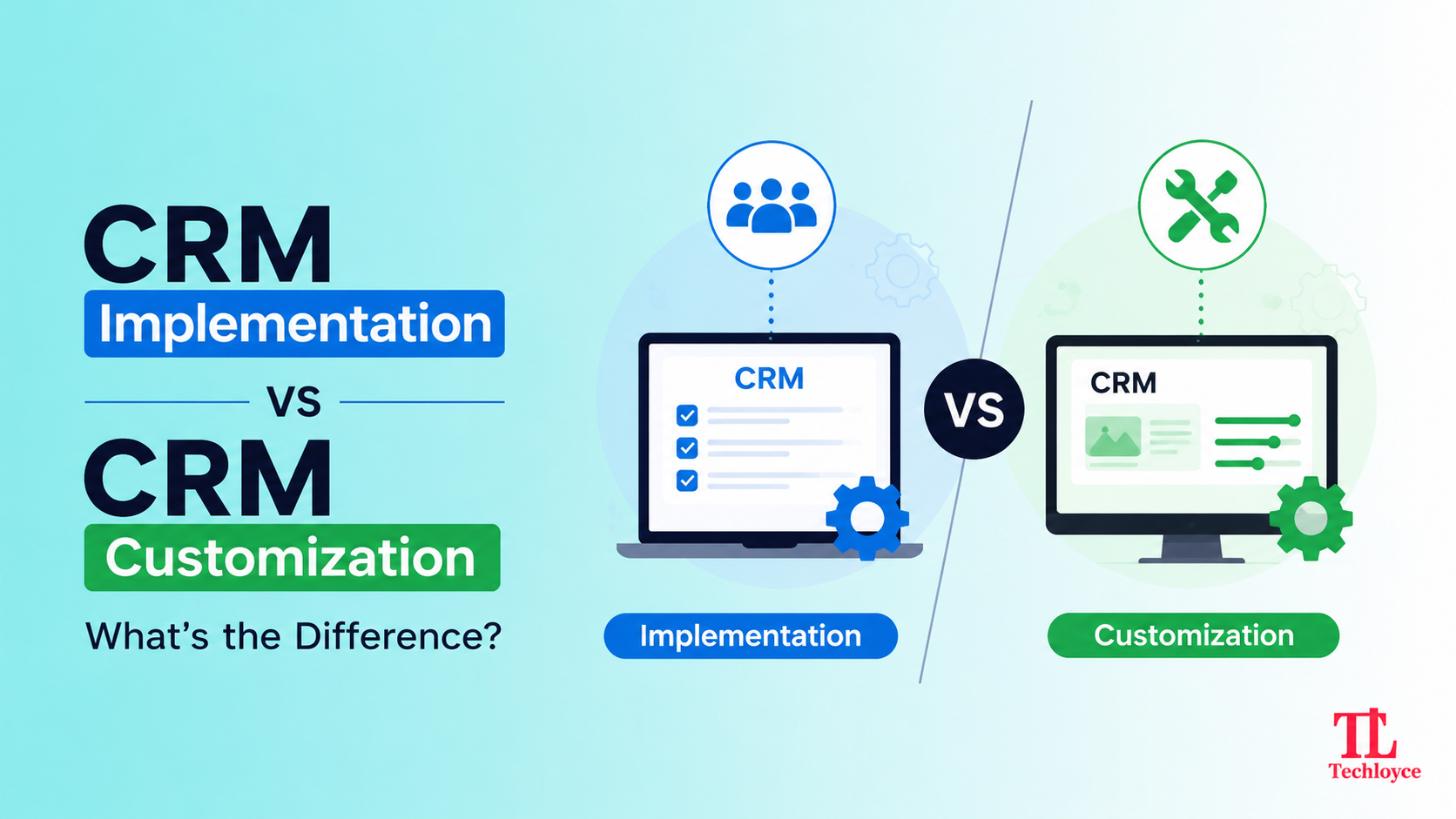
Confusing CRM implementation with CRM customization is one of the major reasons modern software rollouts exceed designated budgets, add administrative overload, and end up with inefficient workflows. Although both processes aim at improving business operations, they address entirely different problems. Therefore, it’s important to understand the thin line between CRM implementation and CRM customization to choose the right CRM for your business and build a platform your team can actually benefit from.
Defining CRM Implementation
When a customer relationship management (CRM) system is introduced to the organization, it is called CRM implementation. This process typically involves selecting, setting up, and introducing teams to the system. CRM implementation doesn’t necessarily mean switching to new software. It actually refers to establishing the correct foundation in place and ensuring people actually use it.
A typical CRM implementation process works by:
- Selecting a CRM that matches your business’ preferences
- Configuring user roles, enabling permissions, and route stages
- Transferring data from existing database into software
- Establishing core integrations like email sync and other tools
- Training the team for easy onboarding
- Launching dashboards and basic reporting tools
Defining CRM Customization
CRM customization starts after implementation. As the name suggests, it includes making changes or extending the already implemented CRM’s structure, logic, and functionality so it can yield desirable results. The customization here means to upgrade the generic CRM in a way that it reflects the specific rules, terminology, and workflows tailor-made for your business.
Key steps in the CRM customization process include:
- Analysing existing business operations to understand the internal processes and required changes before making any amendments
- Creating customized data objects, relationship links, and specialized fields to capture relevant metrics without discrepancies
- Establishing workflow automation to eliminate repetitive tasks, manual follow-up reminders, and unnecessary notifications
- Connecting CRM with the specialized third-party tools actually utilised by teams
- Designing custom dashboards to match brand aesthetics and view tailored to specific user roles and KPIs
CRM Implementation vs CRM Customization: Side-by-Side Comparison
When It Happens
CRM implementation occurs when a CRM project is initiated. At inception, implementing CRM laid the foundation for contact management, interaction tracking, sales pipeline, and task automation. CRM customization, on the other hand, starts when implementation is completed. You can customize existing CRM immediately after going-live or years later, whenever teams feel that the current system is outdated.
Primary Goal
The objective of implementing a CRM is to establish a centralized system in place that users can log into and utilize for basic tasks such as managing contacts and deals. CRM customization aims at tailoring the working system (workflows, terminology, and process) to match the exact requirements of a team.
Scope
CRM implementation covers the whole aspect, including data migration, user accounts, integrations, and core setup across the whole organization. The scope of CRM customizations depends on what changes are required. It can be highly specific (e.g., making changes in a single module) or indefinite (e.g., tailoring multiple features, workflows etc).
Typical Activities
To implement a CRM, there’s a need for gathering data, selecting the right platform, transferring data, setting up basic modules, connecting standard integrations, and familiarizing tools with the team. CRM customization includes creating custom fields and objects, building workflow automations, designing custom dashboards and reports, tailoring the user interface, and connecting niche third-party tools.
Who’s Involved
For CRM implementation, consultants, project managers, IT/admin teams, and executives who outline the defining factors and oversee the rollout are required. While CRM customization usually involves CRM administrators, developers, and sometimes solution architects who understand both the platform and specific business processes.
Time Frame
CRM implementation is a one-time project and takes from weeks to several months to complete depending on the team involved. When a clear timeline is decided, it proceeds very efficiently. On the other hand, CRM customization is an ongoing process. After completing one customization, new requirements can still emerge.
Cost Structure
It takes a hefty amount to implement the CRM in the first place as it covers the licensing fee, data migration cost, setup, and initial training. CRM customization takes smaller chunks and is usually an incremental cost that depends on how complex each specific change or feature is.
Risk If Done Poorly
A poor CRM implementation proves to be a costly mistake and leads to a failed rollout, poor user adoption, and lost data. Meanwhile, errors in CRM customization can cause distorted operations, overly complex systems, technical debt, and a confusing user experience.
Outcomes
CRM implementation results in a single source of truth for all teams so data can be shared easily. CRM customization promises a CRM update that aligns well with business requirements rather than forcing teams to use generic systems.
Core Differences at a Glance
| Core Aspects | CRM Implementation | CRM Customization |
| Goal | Get a CRM selected, set up, and adopted | Adapt the CRM to match unique business requirements |
| Starting Point | Choosing and deploying platform | An existing CRM that needs deeper changes |
| Typical Work | Configuration, data migration, and training | Custom fields, modules, workflows, integrations, codes |
| Skill Required | Admin-level setup, project coordination | Requires developers or CRM specialists |
| Timeline | Days to a few weeks | Weeks to months, depending on complexity |
| Cost Profile | Lower upfront, subscription-based | Higher upfront, plus ongoing maintenance |
| Best Suited For | Teams that need fast, low-friction adoption | Businesses with domain-specific processes standards CRM can’t model |
When Only CRM Implementation is Required
For a large share of businesses, especially small and mid-sized teams, a well-implemented CRM is more than enough.
Speed is Required
With CRM implementation, a lean setup is introduced that helps teams to run their pipeline within days, without a lengthy training period for new hires or part-timers.
Simplicity Drives Adoption
Simple fields and clean interfaces are easy to use. A common rule of thumb is to initiate with somewhere around 5-10 custom fields that are highly essential.
Sufficient Built-in Features
Before reaching for customization, it’s worth analysing what features you already have. Automated follow-ups, activity alerts, and custom notifications provide more assistance than investing in heavy customizations.
Standard Sales Process
If you have a usual B2B or B2C sales cycle, the standard CRM’s default stages are more than enough to map onto your business operations without much friction.
When Customization Becomes Necessary
Customization is required when you follow an unusual business model. Such systems are difficult to map through horizontal, one-size-fits-all systems. Common triggers include:
Domain-Specific Workflows
If your sales lifecycle, workflow, or shipment process relies on logic that is not supported by a generic CRM system, such as custom stage gating, attribution algorithms, and industry-specific language, simply configuring the CRM is not sufficient.
Integrated Project Delivery or Marketing Needs
When teams need specific project management skills integrated into the CRM itself or a built-in automation suite, instead of just connecting fragmented tools in a single pipeline.
Enterprise Controls and Security
Sometimes large enterprises need audit trails, visibility rules, and permission policies that surpass the basic security features available in a regular CRM system.
Data Structure Mismatches
When the organization needs to store data that does not have any corresponding field in the generic CRM system, then customization is the only option left.
How to Decide: A Practical Framework
Before selecting any one, assess your business requirements first:
Run a Workflow Audit First
Flag what’s actually broken or inadequate in an existing system before switching to a new platform or developing a custom one.
Ask Whether Configuration Alone Solves It
Many business requirements that apparently need custom development can be fulfilled by CRM’s existing admin-level settings (roles, permissions, automation rules, and fields).
Distinguish “Unique” From “Unfamiliar”
Processes that you may feel are unique usually follow a similar structure underneath. All they need is a little adjustment.
Prioritize Adoption Metrics Over Feature Counts
Instead of adding more features, prioritise what’s easier for adoption. Prefer whichever path gets your team logging activity in under 30 seconds.
Build Deduplication and Audit History From Day One
Regardless of choosing any path, always duplicate important records in a repository to prevent data loss in any case.
How Techloyce Facilitates Both CRM Implementation and Customization
Navigating the fine line between standard implementation and custom development needs a partner who understands both strategies and complex software architectures. As a certified consulting and implementation partner, Techloyce is built to fill this exact gap.
End-to-End Implementation Driven by Best Practices
Techloyce lays the groundwork for successful implementation through workflow auditing, data migration, and native feature configuration. This led to a faster deployment with minimal disruption and quick adoption.
Tailored Customization for Complex Business Logic
From custom modules to specialised data fields, Techloyce builds data schemas that mirror your industry-specific sales cycle.
Balanced Strategy and Sustainable Governance
Techloyce makes the connection between out-of-the-box agility and software engineering. Through their assessment of whether to configure or customize, they avoid technical debt, ensuring that your CRM scales appropriately along with the growth of your business.
Final Thoughts
CRM implementation and CRM customization aren’t competing strategies; they are two different layers of the same decisions. For a linear setup, first implement CRM and then assess whether deeper customizations are required or not. Take the next step in your CRM journey with Techloyce experts to unlock the full potential of your CRM.