
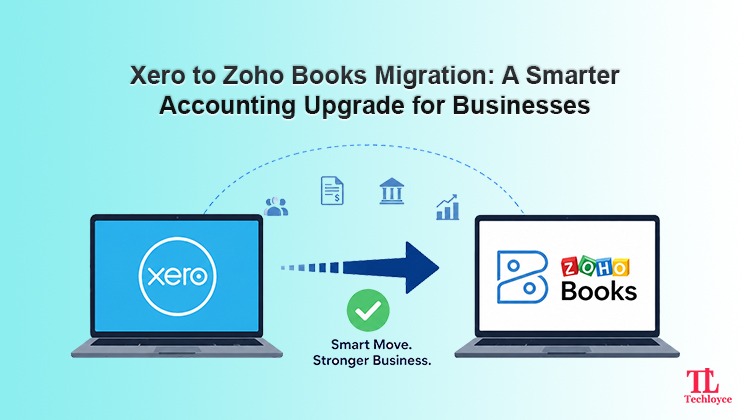
With growth, business operations become more complex. Especially, it becomes difficult to manage finances accurately and scale as more customers come in. Amid this increasing complexity, the usual accounting software eventually starts limiting workflows, increasing costs, or lacking features to match the requirements of contemporary businesses. These shortcomings become the primary reasons many businesses are now switching from Xero to Zoho Books.
Migrating accounting software is not merely moving numbers from one platform to another. It affects overall accounting procedures, including invoicing, taxes, payroll, reporting, customer management, and ultimately the financial health of a business. Therefore, while migrating, businesses need to devise a clear plan. As a Zoho partner, Techloyce helps businesses to switch accounting software smoothly without risking data loss, financial inaccuracies, or operational disruptions.
Key Differences Between Xero and Zoho Books
Before diving into the migration process, understand how these platforms differ from each other to determine whether switching to a new accounting software is actually worth it.
Both Xero and Zoho Books are cloud-based accounting platforms, but they mainly differ from each other in terms of pricing, customisation ability, automation, and ecosystem integration.
Ecosystem Integration
The major difference is ecosystem connectivity. While using Xero, there’s a need to rely on third-party tools to improve functionality. On the other hand, Zoho Books is part of a larger Zoho ecosystem. This enables businesses to connect with Zoho CRM, Zoho Inventory, Zoho Projects, Zoho Payroll, and Zoho Analytics automatically. Therefore, with Zoho Books, businesses are able to establish a more centralised and connected business management experience.
Automation Capabilities
Xero supports automation but requires external applications or add-ons to manage advanced workflows. Zoho, on the contrary, has a built-in automation feature. This aids businesses in automating their invoices, setting reminders, recurring billing, approval workflows, payment follow-ups, and customising business processes.
Pricing and Affordability
Pricing is also a central point of migration. With an increase in the number of users, the cost of Xero improves. Moreover, additional charges are required to add integrations. With Zoho, there’s improved built-in functionality available at cost-effective pricing plans. This is optimal for growing businesses that are looking to reduce software expenses.
Customisation and Flexibility
Xero’s core emphasis is on simplicity and ease of use. This is mostly suited for small businesses whose accounting needs are addressed with basic tools. But growing businesses face limitations while managing complex workflows. Zoho offers greater customisation options for reports, invoice templates, workflows, and user permissions.
Why Businesses Migrate from Xero to Zoho Books
Every business has a different reason. But the most common driving factors are:
Unified Business Ecosystem
It is difficult for teams to work in silos without having shared data. Businesses that rely on several disconnected apps usually encounter operational inefficiencies such as:
- Inconsistent information
- Multiple sources of truth
- Lack of real-time analytics
- Duplication of data
- Misaligned communication
- Revenue leakage and billing errors
- Inconsistent customer experience
With Zoho Books, businesses are able to establish a unified ecosystem with other Zoho products, creating a single source of truth. This significantly improves efficiency and enhances visibility.
Inventory and Business Process Management
Businesses that need to manage products, warehouses, or stock usually require stronger inventory management. Xero fails to facilitate such processes.
Zoho Books combined with Zoho Inventory supports:
- Real-time stock tracking
- Warehouse management
- Barcode support
- Purchase order automation
- Shipment tracking
For e-commerce and retail businesses, these features are highly useful.
Rising Operational Costs
A significant problem that businesses face is increased pricing. Growing businesses relying on Xero bear additional expenses of third-party integrations to manage CRM, approvals, or project tracking etc.
This causes:
- Shrinking profit margins
- Strained cash flow
- Reduce competitive edge
- More borrowing pressure
- Adds subscription management complexity
With Zoho Books’ inbuilt features, businesses can save much while maintaining a centralised system.
Need for Better Automation
With more operational complexity, it is practically impossible to manage processes manually. Additionally, they are prone to errors, which increases the risk of huge losses in growing businesses. Therefore, to thrive in the contemporary business environment, companies need:
- Automated invoice reminders
- Approval workflows
- Payment automation
- Workflow triggers
- Customised business rules
- Field updates and in-app notifications
- Bank feeds
As compared to Xero, Zoho Books has improved automation capabilities that streamline routine business operations.
Better Customisation
To adapt to specific industry requirements and unique workflows, companies prefer customised accounting operations instead of forcing business to conform to rigid, off-the-shelf software limitations.
Key customisation needs include:
- Custom invoice templates
- Industry-specific workflows
- Department-based approvals
- Custom line item reporting
- Tailored dashboards
- Optimised financial statements
Zoho Books is highly flexible and designed to address the needs of contemporary businesses. From customisation in invoicing to workflow automation, it offers more flexibility at a similar price to Xero.
What Data Can Be Migrated from Xero to Zoho Books?
While migrating financial data, businesses have concerns of data loss; however, more core accounting data can easily be transferred successfully.
Key migrated data is:
- Chart of accounts
- Contacts
- Items
- Transactions
- Opening balances
- Tax settings
- Bank transactions
- Financial reports
- Credit notes
Step-by-Step Xero to Zoho Books Migration Process
For a smooth migration, it is important to follow a structured approach.
Step 1: Evaluate Business Requirements
Determine what motivates you to switch platforms. Define your goals and aims before migrating from Xero to Zoho Books. This helps to set up Zoho Books as per business requirements.
Step 2: Audit Existing Xero Data
Before data transfer, it is mandatory to clean and audit existing databases. Removing discrepancies and authenticating balances confirms that accurate data is migrated.
Step 3: Backup Financial Data
Maintain a complete backup before starting migration. It prevents data loss in case of any unforeseen circumstance.
Step 4: Set Up Zoho Books
If you want to import data, you need to set up Zoho Books beforehand. Businesses must reconfigure the tax preferences, invoice templates, users, currencies, and automation settings, all of which need to align with the current workflows.
Step 5: Export Data from Xero
Typically, financial information like invoices, contacts, bills, transactions, and many other things are exported as CSV or Excel from Xero. The correct formatting helps avoid problems in migration.
Step 6: Import Data into Zoho Books
After preparing the files, businesses can import their data into Zoho Books. In the course of this, records are correctly mapped, duplicates are checked, and validation errors are corrected.
Step 7: Verify and Reconcile Data
After the migration, businesses need to thoroughly review their finances and account balances. Data reconciliation ensures data is accurate and consistent, without any discrepancies.
Step 8: Reconnect Integrations
Businesses have to integrate third-party apps like payment gateways, payroll systems, and CRM with Zoho Books. Testing integrations helps to ensure that the workflows don’t get interrupted.
Step 9: Train Teams and Go Live
Before final launch, training should be provided to employees on the features and workflow of Zoho Books. The onboarding process helps decrease mistakes, boost efficiency, and provide a smooth transition.
Manual Migration vs Professional Migration Services
There are two ways in which the migration can be done: businesses can execute the migration themselves or hire professionals, depending on the complexity of the accounting system and the number of transactions.
Manual Migration
Manual migration is appropriate for small companies that have straightforward accounting systems and fewer transactions. It can save money upfront, but it needs to be done in a timely and knowledgeable manner.
Advantages
- Lower initial cost
- Greater internal control
- Flexible migration timeline
Disadvantages
- Time-consuming process
- More risk of errors
- Difficult for complex accounting structures
Professional Migration Services
Professional migration services are ideal for businesses with large datasets, integrations, or advanced accounting workflows. Techloyce as a Zoho partner offers complete support during migration from Xero to Zoho Books, ensuring a smooth and fully managed migration service.
Whether it’s auditing the existing financial data, setting up Zoho Books, migrating records, reconnecting integrations, or verifying the accuracy, Techloyce makes sure that each step is handled carefully.
Advantages
- Increased speed and accuracy
- Minimum risks of accounting errors
- Comprehensive support and troubleshooting
Disadvantages
- Service cost
Best Practices for a Successful Migration
The following are some best practices to ensure a successful migration. Adhering to best practices can help companies have a smoother and more accurate migration experience.
Plan During a Low-Activity Period
Avoid migrating during tax season or month-end closing. Moving during non-peak hours helps to avoid teams getting stressed and operation disruptions.
Test Before Full Migration
A test migration can identify formatting issues, missing records, workflow issues, etc., prior to the actual migration. This decreases the risk of issues impacting live operations.
Train Teams Early
Training prior to actual launch gets employees acquainted with the workflows and features in Zoho Books. Early training can reduce the resistance, confusion, and delays in the operation.
Document Workflows
Businesses must have the process of approval, process of invoicing, and reporting in documentation, before sending employees overseas. Consistency and easy onboarding are made possible by good documentation.
Simplify Your Xero to Zoho Books Transition Today
Xero to Zoho Books migration can offer substantial benefits to businesses, including better financial management, automating repetitive tasks, cutting down on operational costs, and fostering a more integrated business environment. But for a successful migration, careful planning, accurate data transfer, and proper systems setup are essential to avoid interruptions and accounting mistakes.
Techloyce is a trusted Zoho partner, assisting businesses with the entire migration process seamlessly and securely. Whether it’s data auditing, workflow configuration, or team training, Techloyce ensures smooth and seamless transitions with minimal downtime.
Ready to switch from Xero to Zoho Books? Connect with Techloyce and let our experts simplify your migration journey.