
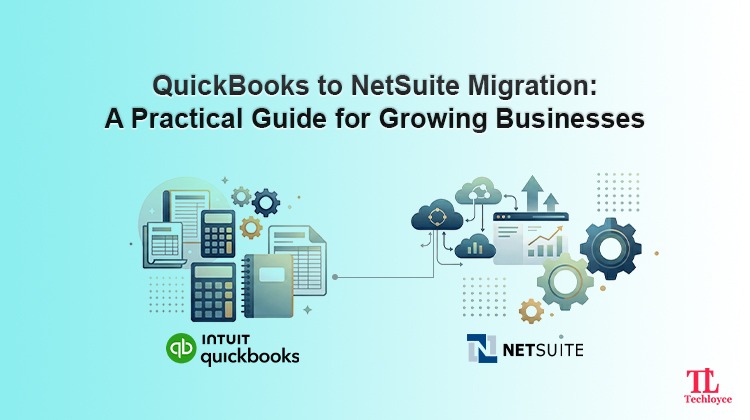
Many expanding businesses reach a certain point when they simply can’t continue with their accounting system. The thing that was once a charm starts dragging the processes down, reports take a longer time, data is sloppy, and manual work piles up.
If this feels like a similar situation, you’re likely considering a QuickBooks to NetSuite migration. Leaving QuickBooks and replacing it with NetSuite is not just an ordinary adoption of new technology; it’s a strategic shift. When implemented properly, it has the potential to remove inefficiencies, enhance visibility, and support the long-term growth of your business.
But if done poorly, it causes more damage to operations than benefit.
Why Businesses Outgrow QuickBooks
At the initial stages, QuickBooks is a perfect, simplified solution to manage finances. It is straightforward, easy and streamlines the fundamentals. But when your business grows, it slowly starts crumbling.
Too Many Processes
Increased transactions often lead to the use of spreadsheets and workarounds by teams. This causes repeated duplications, errors, and wastes a lot of time.
Limited Reporting
You are able to create reports within QuickBooks, but not necessarily the one you actually need. There is usually a lack of custom insights, real-time dashboards, and consolidated views.
Multi-Entity Struggles
Managing several subsidiaries or currencies in QuickBooks quickly becomes aggravated and ineffective.
Performance Issues
Increased volumes of transactions may delay processes and make mundane daily activities frustrating.
Disconnected Systems
Integration is more difficult to operate as you have to add more tools (CRM, inventory, billing).
When your finance department is more indulgent in correcting manual errors than in analysing data, it is obvious that you have outgrown the existing system.
What Changes with NetSuite?
NetSuite is aimed at assisting businesses that need more than basic accounting. It is a reliable cloud-based ERP system that scales effectively as your business grows. It integrates finances, operations, and reporting in one interconnected system and eliminates inefficiencies arising when multiple tools are used in silos.
Here’s what that means in practice:
One Source of Truth
NetSuite places all financial and operational data in one centralized system. This gets rid of the confusion of the spreadsheets being spread around and tools being disconnected, so that everyone has access to the same precise data.
Real-Time Visibility
Live dashboards and insights are available anytime as opposed to waiting for end-of-month reports. This makes the process of decision-making quicker and more informed, as teams have access to current performance.
Automation Across Workflows
NetSuite automated repetitive tasks such as billing, reconciliations, and reporting. It minimises human intervention, thus minimises errors and saves time. The team can instead focus on tasks that are of higher value.
Built for Scalability
As your business expands, NetSuite expands with you. Whenever you need to add new entries, move internationally, or transact more, the system is flexible enough not to need regular workarounds and upgrades.
The Real Value of QuickBooks to NetSuite Data Migration
QuickBooks to NetSuite migration does not merely transfer data but also enhances it. Many businesses underestimate the value NetSuite brings to the table. They assume that migration is simply the change of records. However, in actual sense, it is your opportunity to fix long-standing problems like:
- Duplicate customer records
- Inconsistent naming conventions
- Lack of obsolete financial data
- Broken reporting structures
In simple words, QuickBooks to NetSuite data migration works as a reset button for your financial system.
How to Prepare for Migration
Most migrations fail due to a lack of preparation. Rushing this step causes problems in due course. Here’s how you can prepare efficiently:
Start with a System Audit
Before processing to shift your data,assess current setup. Ask:
- Where are we losing time?
- What are unreliable reports?
- What processes are not automated, but should be?
This helps you determine the outcomes of QuickBooks to NetSuite migration.
Clean Your Data Early
There’s nothing like self-correction of poor data during migration. In fact, it gets worse. Take time to:
- Remove duplicates
- Standardise formats
- Archive irrelevant records
Align Stakeholders
Migration is not just the responsibility of the IT department. It requires involvement of finance, operations, as well as leadership. Each team should define:
- What are the objectives of migration?
- What’s currently broken?
- What migration should fix?
Train Before You Migrate
Waiting for “go-live” to train is one of the biggest mistakes. Early training:
- Reduces resistance
- Speeds up adoption
- Prevents costly mistakes
QuickBooks to NetSuite Migration Process
Here’s a division of the migration process into easy to understand steps.
Backup Everything
Whenever you plan for a switch, have a complete copy of your data. This protects data in case migration remains unsuccessful or any unforeseen event occurs.
Extract Your Data
Export monetary documents, clients’ records, suppliers’ information, and purchase data. It is the initial step of the migration pipeline.
Transform the Data
The majority of work occurs here. Data must be:
- Cleaned
- Reformatted
- Aligned as per the structure of NetSuite
Load into NetSuite
When your data is prepared, it is imported into NetSuite, either with tools or migration experts such as Techloyce.
Validate Accuracy
Don’t proceed on the basis of assumptions. Always verify:
- Account balances
- Customer data
- Transaction histories
Test in a Safe Environment
Test in a staging environment before going live. This enables you to:
- Flag any issues
- Fix workflows
- Authenticate automation
Go Live
Select a low-activity period for the final switch. After going live:
- Track performance
- Monitor data accuracy
- Support users actively
Common Challenges in QuickBooks to NetSuite Data Migration
Even the highly planned QuickBooks to NetSuite migration may still hit some unexpected challenges. Learning about them early ensures you do not face costly delays, data problems, and user frustration.
Data Cleansing and Integrity
One of the biggest issues starts with messy data in QuickBooks. Redundant data, lost data fields and varying formats are major issues that can’t be identified until the actual migration occurs. These cause reporting and accuracy problems in the long run.
Historical Data Migration
Shifting years of historical record can be complicated. QuickBooks is not powerful enough to export detailed records. Therefore, when such data is attempted to be transferred to NetSuite’s highly sophisticated system, there are high risks of data loss or inconsistencies.
Data Mapping and Format Changes
It can be challenging to match data in one system to another system, whether it is customers, vendors, or charts of accounts. Improper mapping can result in failed imports or corrupt data.
Integration Challenges
It may be complex to integrate NetSuite with other systems such as CRM, e-commerce or payroll systems. Integrations that are not planned well can interfere with the working processes.
Reconciling Financial Balances
Post-migration differences in accounts receivable (AR), accounts payable (AP) or general ledger (GL) may cause severe financial issues if left unresolved.
Why You Need a Professional Expert for QuickBooks to NetSuite Migration
The process of migrating QuickBooks to NetSuite is not only a technical matter, but rather an essential change of the business that needs extensive knowledge of data structures, financial procedures, and system architecture. When not professionally guided, companies can easily get into problems such as loss of data, wrong mappings, broken workflows or even expensive delays that affect the day-to-day operations.
This is where a professional partner like Techloyce makes a difference. From early evaluation and data cleansing to the system setup, integration, and optimization of the post-migration process, Techloyce aids teams in the entire process of QuickBooks to NetSuite data migrations. By combining its technical expertise and awareness of business requirements, it ensures a seamless transition, reduces risk, and enables organisations to get the most out of NetSuite from day one.
Make Your QuickBooks to NetSuite Migration Smooth and Successful
Move towards consolidated operations, enhance visibility and sustainable growth with QuickBooks to NetSuite migration. The process may be complicated; however, the collaboration with professionals such as Techloyce provides an effective, precise, and successful transition.
Techloyce unlocks the full potential of the migration while minimising risks. Make the switch confidently and set your organisation up for scalable, long-term success.