
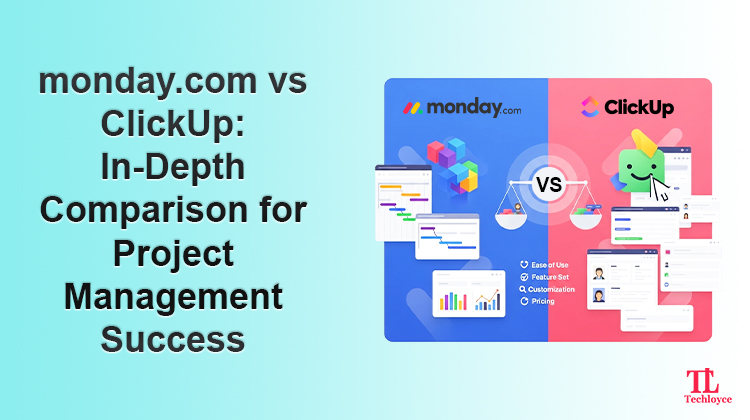
Picking the right project management tool plays a big role in your team’s productivity. ClickUp and monday.com often come up in conversations as leading contenders. Each tool delivers a straightforward experience and comes with diverse project management functions.
So, how do you choose the one best for you?
This guide will help you make that choice. We’ll examine the main components of monday.com vs. ClickUp, like pricing, usability, flexibility, quality of customer support, and more.
Let’s begin.
monday.com and ClickUp: An Overview
Before heading into the comparison, here’s an overview of both platforms:
- com: is a cloud-based application designed to assist teams in effectively managing tasks, projects, and procedures. It allows you to design boards, assign responsibilities, integrate with third-party tools, and visualize your progress. This tool is well-known for having an easy-to-use UI.
- ClickUp: is a popular project management tool that provides a full-scale environment to streamline workflows. It is adaptable and scalable, merging traditional project management solutions with AI features. With ClickUp, you can create timelines, manage docs, assign tasks, and track time.
Monday.com vs. ClickUp: A Comparison
| monday.com | ClickUp | |
| Ease of Use | Beginner-friendly and easy to navigate. Flexible task management and a clean interface. | |
| Free Features | Up to 2 users and 200 items (tasks). | Unlimited users and tasks. |
| Integrations | 200+ app integrations | 1000+ app integrations |
| Customer Support | Support options and resources are available 24/7. | Prompt customer support. |
| Storage | Basic plan = 5 GB
Standard plan = 10 GB Pro = 100 GB Enterprise = 1000 GB |
Free plan = 100 GB
On premium plans = unlimited storage |
| Automation | No-code workflows and a number of automation tools. | More custom workflows and configuring automations. Comes with more complexity. |
| Analytics | Dashboard insights, pipelines, charts, reports, and custom analytics | Dashboard insights, pipelines, charts, reports, and custom analytics |
| Pricing | Limited free plan for up to 2 users.
4 paid plans, with a minimum of 3 users each. Basic = $12/user per month Standard = $14/user per month Pro = $24/user per month Enterprise = Custom |
A free forever plan available.
3 paid plans. Unlimited = $10/user per month Business = $19/user per month Enterprise = Custom |
monday.com vs. ClickUp: Features Side-by-Side
Basic Management
monday.com: offers a dynamic environment that scales with your business. It enables you to make insightful decisions through customizable dashboards. Furthermore, its Kanban-style interface allows you to visualize ongoing projects easily.
The platform provides a range of communication and collaboration tools, helping you keep your operations running smoothly. Not only that, but you also get access to advanced automation and high-level security.
ClickUp: it is a one-stop hub for planning and organizing work. With its no-code customization, you can freely build the platform according to your business needs. Arrange your projects into various categories, including Workspaces, Spaces, Folders, and Lists.
Moreover, ClickUp allows your team to chat in real time, record and share videos, and provide project updates. With its native time-tracking feature, you can measure time spent on tasks. Furthermore, it also offers project management features, including Scrum and Kanban.
Integrations
monday.com: This platform provides 200+ in-app integration options. Its GraphQL API enables you to further connect with tools that aren’t available in the app marketplace.
Teams can seamlessly work on Slack, Jira, Microsoft Teams, Gmail, etc., while staying on the app. Data can be automatically synced without any coding knowledge. The best part is that you can even link it to ClickUp, allowing teams to embed views and work on both platforms.
ClickUp: This platform offers a more extensive range of integrations, more than 1000. You can connect to GitHub, Slack, HubSpot, Google Drive, and more. These integrations allow you to centralize your work and easily exchange data across systems.
User Experience
monday.com: It has an interface that’s easy to operate, even for new users. Organizations can access Kanban boards, timelines, graphs, charts, and activity logs.
Additionally, its drag-and-drop functionality makes tasks accessible and within reach. monday.com goes big on customization, helping businesses manage workflows on their own terms.
However, an initial learning curve may become overwhelming and deter users.
ClickUp: It allows users to tailor their workspace by rearranging widgets, task lists, and more. You can add, remove, and resize to make it more personalized.
ClickUp offers a broad set of views, like calendars, boards, activity timelines, spreadsheets, mind maps, lists, etc. However, this degree of autonomy can also be daunting. Setting up workflows is not everyone’s cup of tea and can become complex to manage.
Customer Support
monday.com: monday.com is widely known for its 24/7/365 customer phone support. Not only that, but customers also get access to instructional videos, a community forum, a web contact form, and a knowledge base.
ClickUp: ClickUp also offers 24/7 support on all its plans. Users can also access a readily available knowledge base and troubleshooter.
Pricing Plans
monday.com: It offers a 14-day free trial for up to 2 users. Apart from that, it offers 4 paid plans.
- Basic: billed at $12/user per month. It includes 5 GB of file storage, suitable for a normal team size. Moreover, this plan allows you to design a dashboard for visualizing one board. It also gives unlimited customer support benefits.
- Standard: starts from $14/month per user, allowing you to create a dashboard of up to 5 boards. You can also grant the boards’ access to guests. Along with that, you get 250 monthly automations and integrations and different views like Calendar, Timeline, and Gantt.
- Pro: The pro plan costs $24/month per user. It enables you to build a dashboard with as many as 10 boards, which is useful for complex workflows. It offers advanced access to Chart Views, private boards, and tracking task timing. With the pro plan, you can get 25k automations and integrations.
- Enterprise: This plan encompasses various features. These are tailored onboarding, multi-level permissions, and expanded limits for automations and integrations. Costs are determined through a custom quote.
ClickUp: ClickUp provides a free plan that includes unlimited tasks and Everything Views. In addition, it provides 24/7 customer support, but only with 100MB of storage. Other than that, it offers three paid plans.
- Unlimited: Priced at $10/month per user. Teams can access unlimited storage, integrations, and dashboards, with a variety of views. This plan suits small teams.
- Business: This plan costs $19/month per user. It expands capabilities with advanced automations and time tracking with built-in Google SSO. This is perfect for midsize teams.
- Enterprise: This plan is a great fit for companies that need advanced features. These encompass advanced permissions, APIs, and unlimited custom roles.
Partner with Techloyce for your Project Management Needs
Techloyce is a trusted monday.com consulting and integration partner specializing in unlocking the true potential of project management tools. monday.com and ClickUp are just two systems under its wide umbrella of business solutions.
Our team of highly seasoned professionals helps you hit your business targets within the set time. From understanding your specifications to strategizing and implementing, our IT wizards ensure the plan works as you want.
We understand the need for training for a successful implementation. Hence, we provide one-on-one and group training sessions and admin training.
With Techloyce, you can start getting results from your favorite project management tools in no time.
Final Verdict
As we reach the last section of the guide, it is time to provide our final verdict. The ideal tool for you will rely on your unique needs, preferences, and goals.
For ease of use and customizable templates, monday.com is a well-suited option. ClickUp’s interface can be intimidating and complex for novice users. It does, however, have a number of features, and teams on a tight budget would find it ideal.
If you’re still confused, contact Techloyce. We’ll take note of your team’s priorities and guide you towards the tool that delivers maximum value.